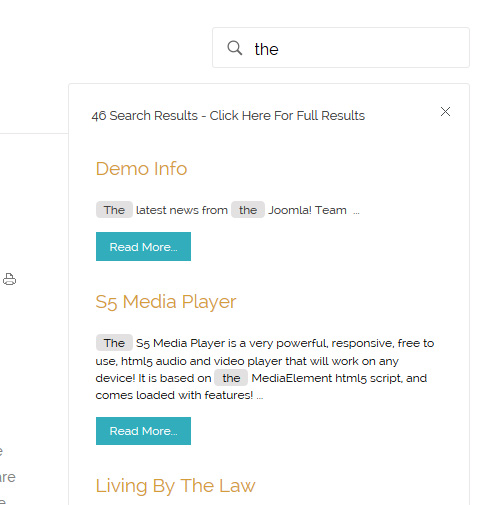
The S5 Live Search module is demo’d towards the top of this page and can be used on any Joomla template, but the specific styling shown here is for this template only.
Allow your users to search quickly and without loading or refreshing pages with our amazing ajax search module! Simply publish the module to the ‘search’ position.
The Map it with Google module is displayed on this page. Simply enter your address and the module uses the Google API to display a map with a marker to the address. A user simply clicks the marker and they are prompted with a popup box to get directions. Clicking “Get Directions” will take you to google maps with your business address already entered so all they have to do is enter their address to get directions. You can also specify the size of the map and whether or not to enable or disable certain controls.
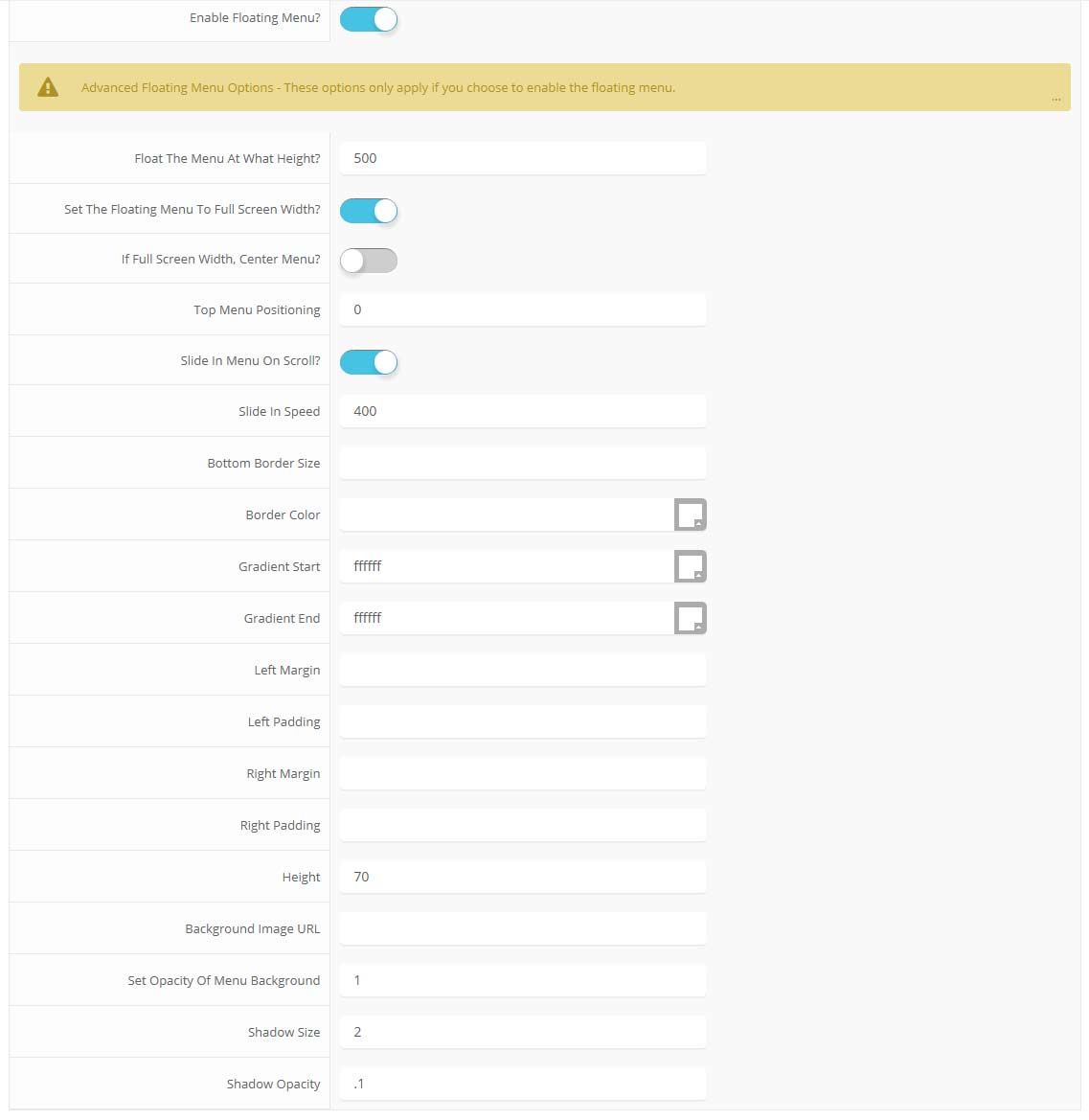
The floating menu feature is a great way for your users to easily navigate your website! The floating menu will show at the top of your browser once the screen reaches a certain point. You can determine the exact point at which this occurs via the template specific area of Vertex. NOTE: This is a Vertex addition and is not guaranteed to work with all Vertex Templates. Some custom CSS may need to be adjusted per template. This feature is not supported by IE7/8.
Features at a glance:
Set a background image to the menu, gradient or solid color
Set to snap or smooth scroll in
Determine at which point as you scroll down your page that the menu drops in
and many more features, just check out the screenshot below
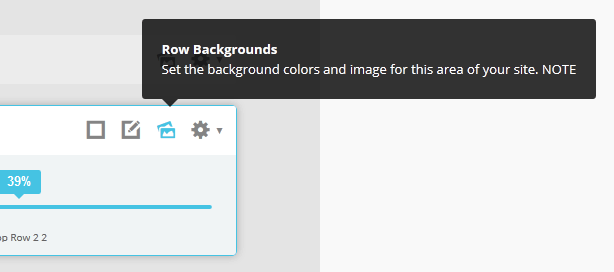
Parallax backgrounds as well as other background options are built directly into the Vertex Framework. Parallax causes the background image of an element to scroll at a different speed than your browser. For an example of this view the homepage of the Velocity template here and watch the background of the top_row1 area as you scroll down the page. This feature is found under “Backgrounds” tab in Vetex, where you can control the background for many areas of your website.
Features:
Set the scroll speed of the images
Set background repeat style
Set background image size, 100%, cover, contain, etc
Set custom backgrounds for all s5 rows in the framework.
L orem ipsum dolor sit amet, consectetur adipiscing elit. Mauris tristique lobortis orci ac lacinia. Fusce eu purus eget diam vehicula auctor nec eu elit. Morbi consequat facilisis orci vel malesuada. Donec ultrices molestie sollicitudin. Morbi consequat facilisis orci vel malesuada. Donec ultrices molestie sollicitudin. Mauris tristique lobortis orci ac lacinia. Mauris tristique lobortis orci ac lacinia.
Apply a drop cap with a wrapping span class as follows: <span class=”firstcharacter”>L</span>orem ipsum
L orem ipsum dolor sit amet, consectetur adipiscing elit. Mauris tristique lobortis orci ac lacinia. Fusce eu purus eget diam vehicula auctor nec eu elit. Morbi consequat facilisis orci vel malesuada. Donec ultrices molestie sollicitudin. Morbi consequat facilisis orci vel malesuada. Donec ultrices molestie sollicitudin. Mauris tristique lobortis orci ac lacinia. Mauris tristique lobortis orci ac lacinia.
Apply a drop cap with a wrapping span class as follows: <span class=”firstcharacter2″>L</span>orem ipsum
Porem ipsum dolor sit amet, consectetur adipiscing elit. Mauris tristique lobortis orci ac lacinia. Fusce eu purus eget diam vehicula auctor nec eu elit. Morbi consequat facilisis orci vel malesuada. Donec ultrices molestie sollicitudin. Morbi consequat facilisis orci vel malesuada. Donec ultrices molestie sollicitudin. Mauris tristique lobortis orci ac lacinia. Mauris tristique lobortis orci ac lacinia.
Apply a drop cap with a class on a wrapping paragraph tag as follows: <p class=”drop_class”>Porem ipsum</a>
Porem ipsum dolor sit amet, consectetur adipiscing elit. Mauris tristique lobortis orci ac lacinia. Fusce eu purus eget diam vehicula auctor nec eu elit. Morbi consequat facilisis orci vel malesuada. Donec ultrices molestie sollicitudin. Morbi consequat facilisis orci vel malesuada. Donec ultrices molestie sollicitudin. Mauris tristique lobortis orci ac lacinia. Mauris tristique lobortis orci ac lacinia.
Apply a drop cap with a class on a wrapping paragraph tag as follows: <p class=”drop_class2″>Porem ipsum</a>
This is a styled box. Use <div class=”black_box”>Your content goes here!</div>
This is a styled box. Use <div class=”gray_box”>Your content goes here!</div>
This is a styled box. Use <div class=”red_box”>Your content goes here!</div>
This is a styled box. Use <div class=”blue_box”>Your content goes here!</div>
This is a styled box. Use <div class=”green_box”>Your content goes here!</div>
This is a styled box. Use <div class=”yellow_box”>Your content goes here!</div>
This is a styled box. Use <div class=”orange_box”>Your content goes here!</div>
Images
This is an image with the “boxed” class applied:
This is an image with the “boxed_black” class applied:
This is an image with the “padded” class applied:
This is an image with the “full_width” class applied. This can also be done automatically in the template configuration. Be sure to review our Vertex Guide here for other full width image options.
Example of code used above. Notice on the first DIV there is a “four”. You can enter one, two, three, four, five and six depending on how many team members you want on one row (Be sure to keep that space before the number too):
The following list will support plain text such as numbers of ion icons, class=”ul_circle_content”:
01Lorem ipsum dolor sit amet, consectetur adipiscing elit. Sed ut mattis quam. Suspendisse tempor mollis porta. Quisque consequat justo risus, et venenatis erat consectetur sit amet. Curabitur varius tortor metus, non convallis felis fermentum sed. Nam varius justo nulla, et ultricies augue venenatis ut. Proin tempor aliquam dapibus. Pellentesque euismod vehicula est, a euismod lacus feugiat sit amet.
02Lorem ipsum dolor sit amet, consectetur adipiscing elit. Sed ut mattis quam. Suspendisse tempor mollis porta. Quisque consequat justo risus, et venenatis erat consectetur sit amet. Curabitur varius tortor metus, non convallis felis fermentum sed. Nam varius justo nulla, et ultricies augue venenatis ut. Proin tempor aliquam dapibus. Pellentesque euismod vehicula est, a euismod lacus feugiat sit amet.
03Lorem ipsum dolor sit amet, consectetur adipiscing elit. Sed ut mattis quam. Suspendisse tempor mollis porta. Quisque consequat justo risus, et venenatis erat consectetur sit amet. Curabitur varius tortor metus, non convallis felis fermentum sed. Nam varius justo nulla, et ultricies augue venenatis ut. Proin tempor aliquam dapibus. Pellentesque euismod vehicula est, a euismod lacus feugiat sit amet.
Lorem ipsum dolor sit amet, consectetur adipiscing elit. Sed ut mattis quam. Suspendisse tempor mollis porta. Quisque consequat justo risus, et venenatis erat consectetur sit amet. Curabitur varius tortor metus, non convallis felis fermentum sed. Nam varius justo nulla, et ultricies augue venenatis ut. Proin tempor aliquam dapibus. Pellentesque euismod vehicula est, a euismod lacus feugiat sit amet.
<li><span class="circle_item">01</span>Lorem ipsum dolor sit amet,
consectetur adipiscing elit. Sed ut mattis quam. Suspendisse tempor mollis porta.
Quisque consequat justo risus, et venenatis erat consectetur sit amet. Curabitur
varius tortor metus, non convallis felis fermentum sed. Nam varius justo nulla,
et ultricies augue venenatis ut. Proin tempor aliquam dapibus. Pellentesque
euismod vehicula est, a euismod lacus feugiat sit amet.</li>
<li><span class="circle_item"><i class="ion-star"></i></span>Lorem
ipsum dolor sit amet, consectetur adipiscing elit. Sed ut mattis quam.
Suspendisse tempor mollis porta. Quisque consequat justo risus, et venenatis
erat consectetur sit amet. Curabitur varius tortor metus, non convallis felis
fermentum sed. Nam varius justo nulla, et ultricies augue venenatis ut. Proin
tempor aliquam dapibus. Pellentesque euismod vehicula est, a euismod lacus
feugiat sit amet.</li>
The following list will support lists up to number 9, add the following class to the UL wrapping the below LI elements, class=”ul_numbers”:
This is a sample styled number list <li class=”li_number1″>Your content goes here!</li>
This is a sample styled number list <li class=”li_number2″>Your content goes here!</li>
This is a sample styled number list <li class=”li_number3″>Your content goes here!</li>
This is a sample styled number list <li class=”li_number4″>Your content goes here!</li>
Price Table
Basic
$49/per month
Unlimited Space & Traffic
99.9% Server Uptime
24/7 Customer Care
30 Days Money Back
To use the price table on your site grab the following example code below and add to your site. The price table is fully responsive and can display up to 7 price columns. Once you have determined the number of columns you will be using set the wrapper div to the number of columns that you’ve added. You can use the wrapping classes of “s5_pricetable_1” to “s5_pricetable_7”.
Make any Youtube, Vimeo, etc video you embed to your site work with responsive by wrapping with a DIV with a class of “s5_video_container”. The below Youtube Video will shrink when the area its contained in gets too small for it:
Note – The tool tips script is by default disabled. If you wish to use it you must enable this script in the template's configuration area. This also includes site shaper installations.
This template is built on the very powerful S5 Vertex Framework, which comes packed with amazing features! Learn More About Vertex…
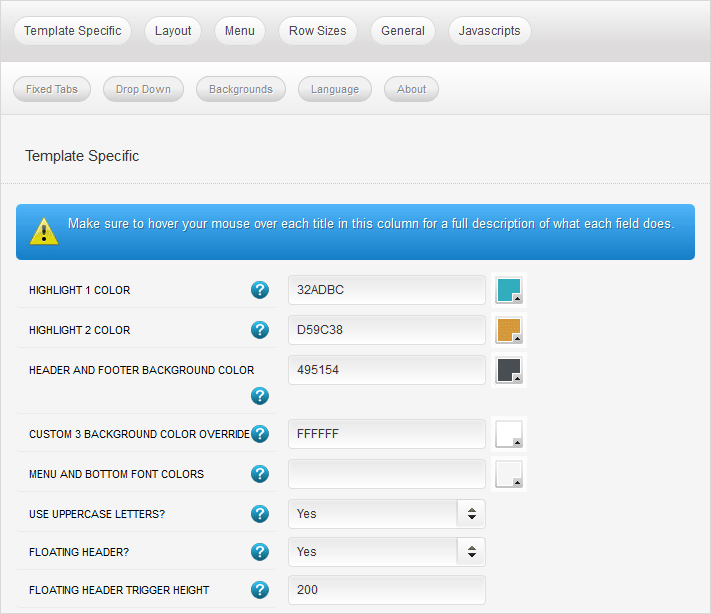
Every template built on Vertex also comes with its own unique template specific options applicable to that particular template such as highlight colors, social icons, and much more. These features are in addition to the standard functions of Vertex, and are still controlled through the very user friendly interface of Vertex. This page will document the features specific to this template.
Template Specific Configuration Interface of Vertex
Below is a screenshot that shows all the template specific features available in the user friendly Vertex admin:
Custom Highlight Colors
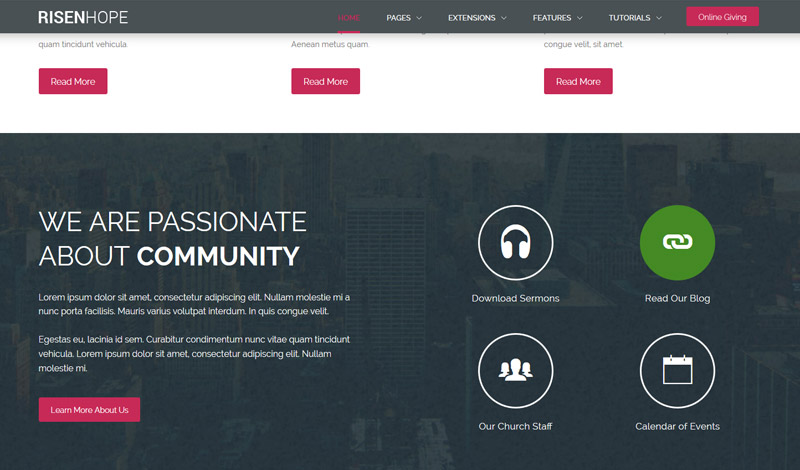
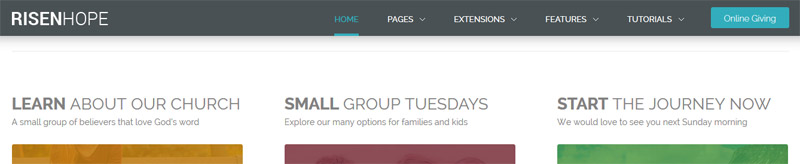
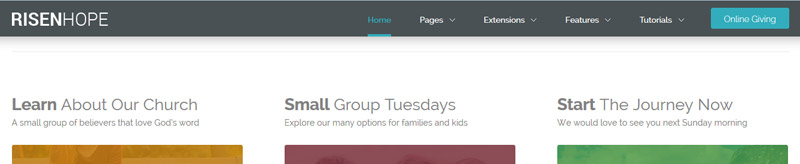
Stylize your site with any color you want. Set your own custom color scheme with the built in highlight color. There are 2 custom highlight colors you can set. These colors control menu items, titles, buttons, hover over effects, backgrounds, and much more. You can set these colors to any color that you want. Below is an example so you can see how this works.
Custom_1, Custom_2 and Custom_3 Positions
This template contains three custom positions. custom_1 contains the Online Giving button found in the header, you can publish any content you wish to this area but due to its size it should remain limited. custom_2 contains the S5 Image and Content Fader module. Whenever this module is published and modules are published to the top_row1 area, the top_row1 area will overlap the custom_2 position as shown on the homepage. custom_3 is found directly under the the top_row1 area and it contains the S5 Tab Show module.
Header and Bottom Color
By default the header color is a dark grey, however you can change this to any color you want, along with the font color that shows on top of it for the menu. These colors also effect the bottom row and the custom_3 position. Alternatively, you can control custom_3 with an override color, because it is intended to be dark with white text.
Uppercase Letters
Choose to enable or disable uppercase letters on most menu items, buttons, titles and more.
Floating Header
This template comes with the ability to enable or disable a floating header and menu area. The header will automatically decrease in size and stay at the top of the website at whatever trigger height you set it to. This is a great way for your users to easily navigate your website! Note – this feature does disable for small tablets and mobile devices.
All content and images shown on this site is for demo, presentation purposes only. This site is intended to exemplify a live website and does not make any claim of any kind to the validity of non-Shape5 content, images or posts published. Stock photography and icons are often purchased from shutterstock.com for this demo only, and is not included with this template. Occasionally open source images are used as well, but are also not included, eg: unsplash.com. You may not use these items for your own use without first purchasing them from their copyright owner. Links will be provided for some of these items if you wish to purchase them from their copyright owners or download them from their sources.
Sign up for our Newsletter
Stay in the loop with everything you need to know.